
Redivis#
Redivis is a cloud-based data platform that lets researchers discover, query, and analyze datasets directly in their browser — without downloading files. Northwestern’s Redivis Data Library is a collaboration between Kellogg Research Support and Northwestern University Libraries. It hosts a curated collection of research datasets that can be explored interactively, linked into analysis workflows, or accessed programmatically via API from the Kellogg Linux Cluster (KLC).
Gaining Access#
Visit the Northwestern Redivis Data Library .
Click Create account in the upper right corner.
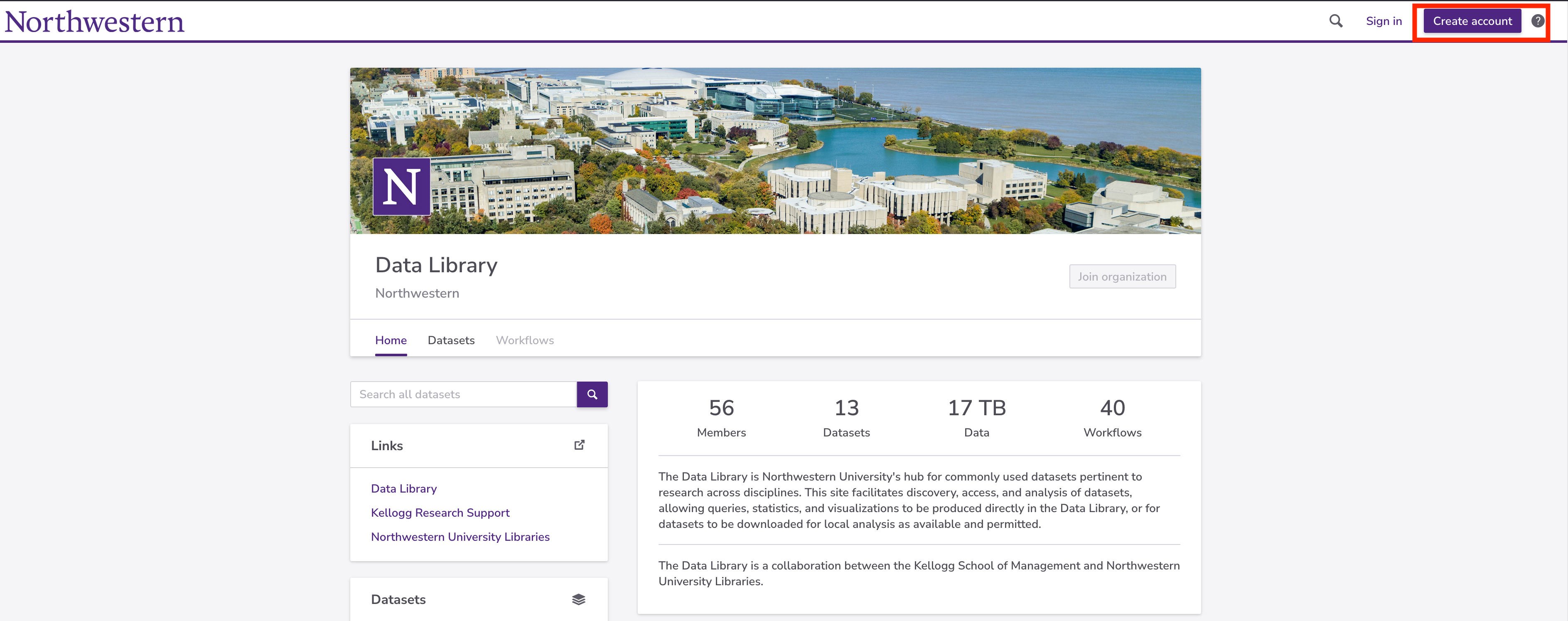
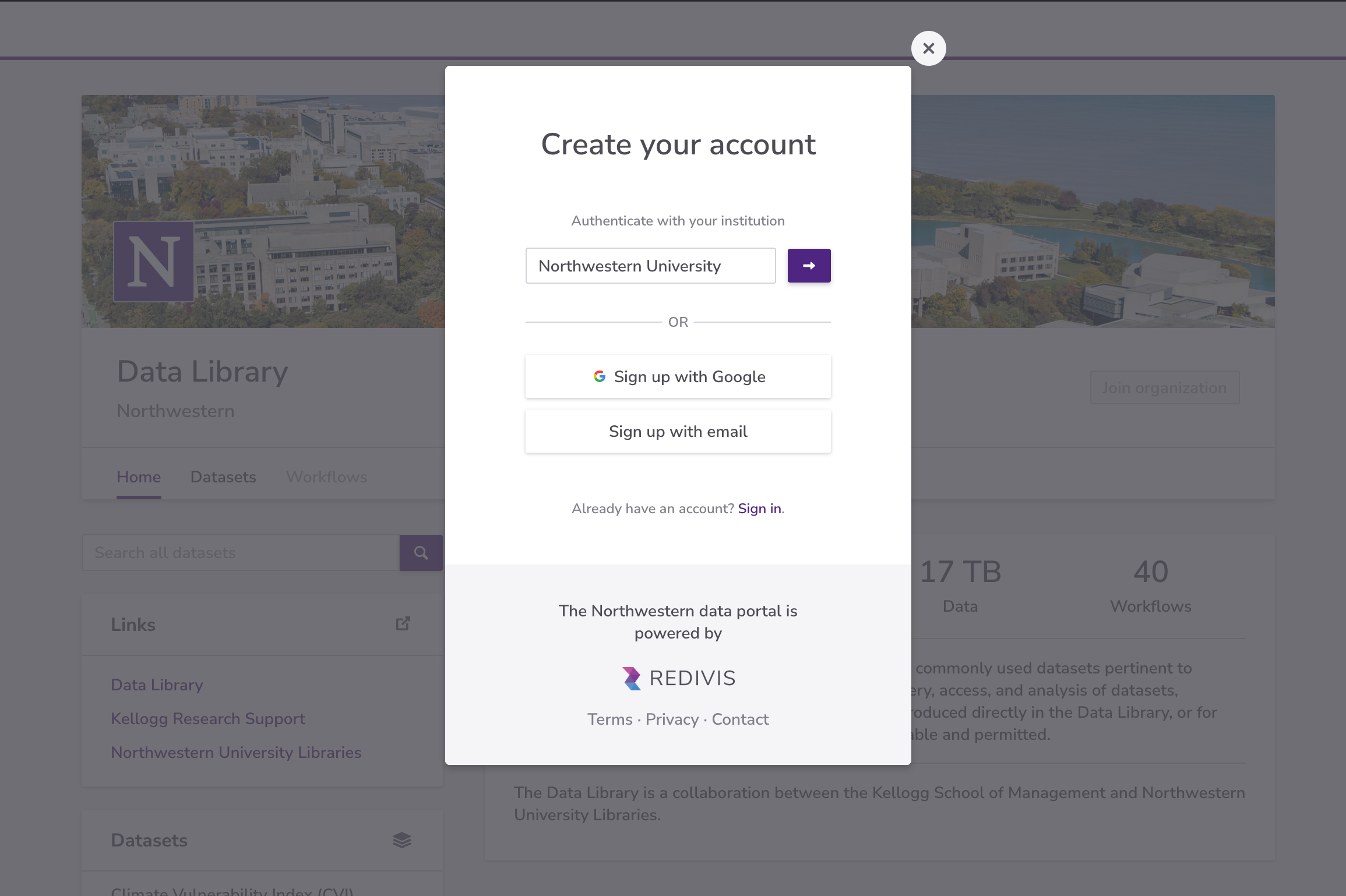
Choose Authenticate with your institution and select Northwestern University. Sign in with your Northwestern NetID credentials.
After signing in, you will be taken to the Northwestern organization page. Click Join organization and complete the short request form.
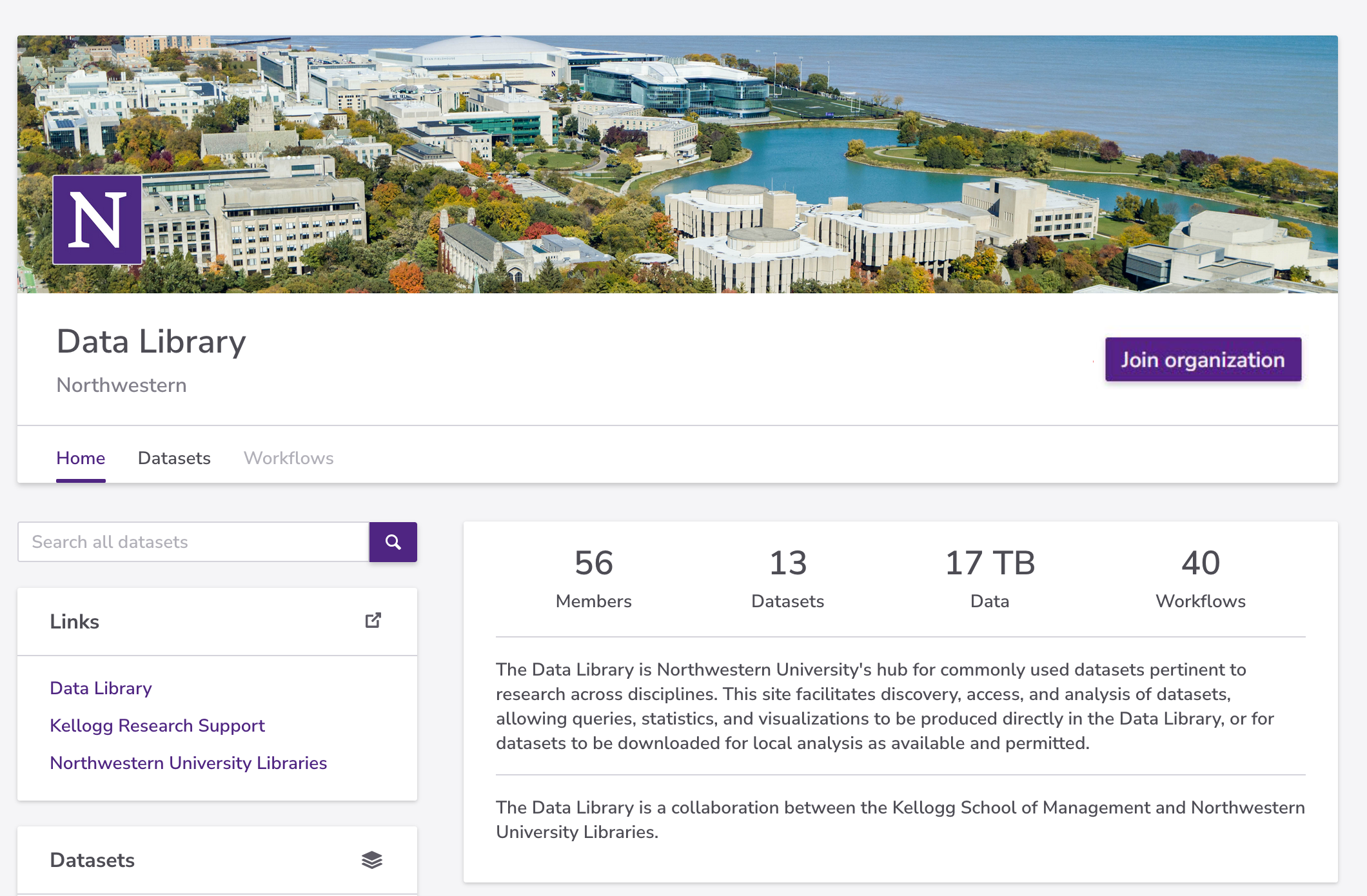
Once your request is approved, you will have access to the datasets hosted in the Northwestern Data Library. Some datasets additionally require you to Apply for access on the individual dataset page.
For a walkthrough, see the Redivis discover and access data guide .
Exploring Datasets#
Visit the Northwestern datasets page to browse all datasets hosted in the Northwestern Data Library.
When you open a dataset you will find three main tabs:
Overview — General description, citation information, and access terms for the dataset.
Tables — All tables included in the dataset. Click any table to open an exploration panel with three sub-tabs:
Variables — Full data dictionary listing every variable and its type.
Cells — A scrollable preview of the data. Select a column to see summary statistics in the right pane.
Query — An ad-hoc SQL interface for quick, transient queries. Results are shown inline but cannot be saved.
Working with Data in Workflows#
For deeper analysis, click Analyze in workflow (upper right of any dataset page) to open the dataset in a Redivis workflow. Inside the workflow canvas:
Click the circular dataset node to expand it, then hover over it to reveal two options: Transform and Notebook.
Transform — A graphical interface for building multi-step data pipelines:
From New step, select SQL query to write a SQL transformation.
From New step, choose other built-in operations (filter, aggregate, join, etc.) as needed.
Click Run in the upper right to execute the pipeline.
Click the output node, then use Export table in the right pane to download results.
Notebook — Opens a Jupyter notebook with a Python or R kernel pre-connected to your dataset:
Query tables programmatically using the Redivis client library.
See the API documentation: Redivis Python | Redivis R
For a walkthrough, see the Redivis analyze data in a workflow guide .
Accessing Redivis Data from KLC#
You can query Redivis datasets programmatically from the Kellogg Linux Cluster using the Redivis Python client library.
Step 1 — Generate an API token#
Log in to Redivis and go to Settings → API tokens .
Click Generate new token.
Enable the Data and Workflow permissions, then click Generate token.
Copy the token text.
Step 2 — Save the token on KLC#
cd $HOME
mkdir -p keys
nano keys/redivis_api.txt
# Paste your token, then press Ctrl+X and save
Step 3 — Run a query#
Sample scripts are available on KLC at /kellogg/software/redivis_scripts. Copy them to your working directory and run:
cp /kellogg/software/redivis_scripts/sample_sql.py .
cp /kellogg/software/redivis_scripts/nu_author_openalex.sql .

module load mamba/24.3.0
source /hpc/software/mamba/24.3.0/etc/profile.d/conda.sh
conda activate /kellogg/software/envs/redivis_env
python sample_sql.py
sample_sql.py reads the API token from ~/keys/redivis_api.txt, lists the first five tables in OpenAlex (openalex:a08b, version 1.0), runs the SQL in nu_author_openalex.sql, and writes nu_author_openalex.csv. That SQL file, copied from the same KLC directory, is the query. Replace its table names when you query a different dataset.
import os
import redivis
import pandas as pd


# Read Redivis API token
api_file = os.path.expanduser("~/keys/redivis_api.txt")
with open(api_file, "r") as f:
    api_key = f.read().strip()
os.environ["REDIVIS_API_TOKEN"] = api_key

# Access dataset
dataset_name = "openalex:a08b"
dataset = redivis.organization("Northwestern").dataset(dataset_name, version="1.0")

# List tables in the dataset
n = 5
tables = dataset.list_tables()
print(f"=== Listing first {n} tables in the {dataset_name} dataset:")
for table in tables[:n]:
    print(table.properties["scopedReference"])

# Run SQL query from file
with open("nu_author_openalex.sql", "r") as f:
    nu_author_sql = f.read()

df = redivis.organization("Northwestern").dataset(dataset_name, version="1.0")\
            .query(nu_author_sql).to_pandas_dataframe()
df.to_csv("nu_author_openalex.csv", index=False)
Adapting the Script to Another Dataset#
The token file stays the same. The organization is Northwestern for every dataset below. Change the dataset reference, the version, and the SQL.
Dataset reference and version.
dataset_nameis thename:idreference. Pass the sameversiontodataset()on the listing call and on the query call. OpenAlex in the sample isopenalex:a08bat version1.0.SQL and output file.
list_tables()prints each table’sscopedReference. Use those names in the SQL file, and change the CSV filename to match the result you are writing.
Dataset |
Reference |
Version |
Query |
|---|---|---|---|
|
|
|
|
|
|
||
|
|
||
|
Not pinned in the example |
dataset_name = "openalex:a08b"  # replace with the other dataset's name:id reference
dataset = redivis.organization("Northwestern").dataset(dataset_name, version="1.0")
For Numerator, keep Northwestern, set dataset_name to Numerator:94sg, and set version="3.4", or another version listed on the Numerator page. Use one of that page’s example queries in place of nu_author_openalex.sql. For L2 VM2 Uniform, set dataset_name to l2_voter_data:azqd and version="2.0".
Note
An unversioned Numerator query uses whichever version was the default on the day it ran. The current default is v3.4, which uses the current schema and does not need BATCH_DATE deduplication. See Redivis dataset versions on the Numerator page.
Datasets on Redivis#
The dataset pages below document a selected subset of datasets available on the Redivis platform with documentation on this site.
Note
The datasets listed below are a selected subset with documentation on this site, not an exhaustive catalog. For an exhaustive list of datasets available to Kellogg researchers, see the Kellogg Research Support Datasets page .
Dataset |
Brief Description |
|---|---|
National voter file from all 50 states, enhanced with consumer and demographic data, standardized into a single schema |
|
Consumer panel data on purchases, promotions, and shopping behavior |
|
Open catalog of scholarly works, authors, institutions, sources, topics, and funders, and their connections |
|
Snapshot of ~170 million public LinkedIn profiles with professional attributes |