
Welcome#
This is the website for the Kellogg Research Support KLC Workflow Cookbook.
This book aims to walk you through setting up VS Code with the Remote SSH extension, connecting seamlessly to KLC, managing your code with Git and GitHub, and supercharging your workflow with GitHub & Copilot.
The github repo for scripts can be accessed here.
System Components#
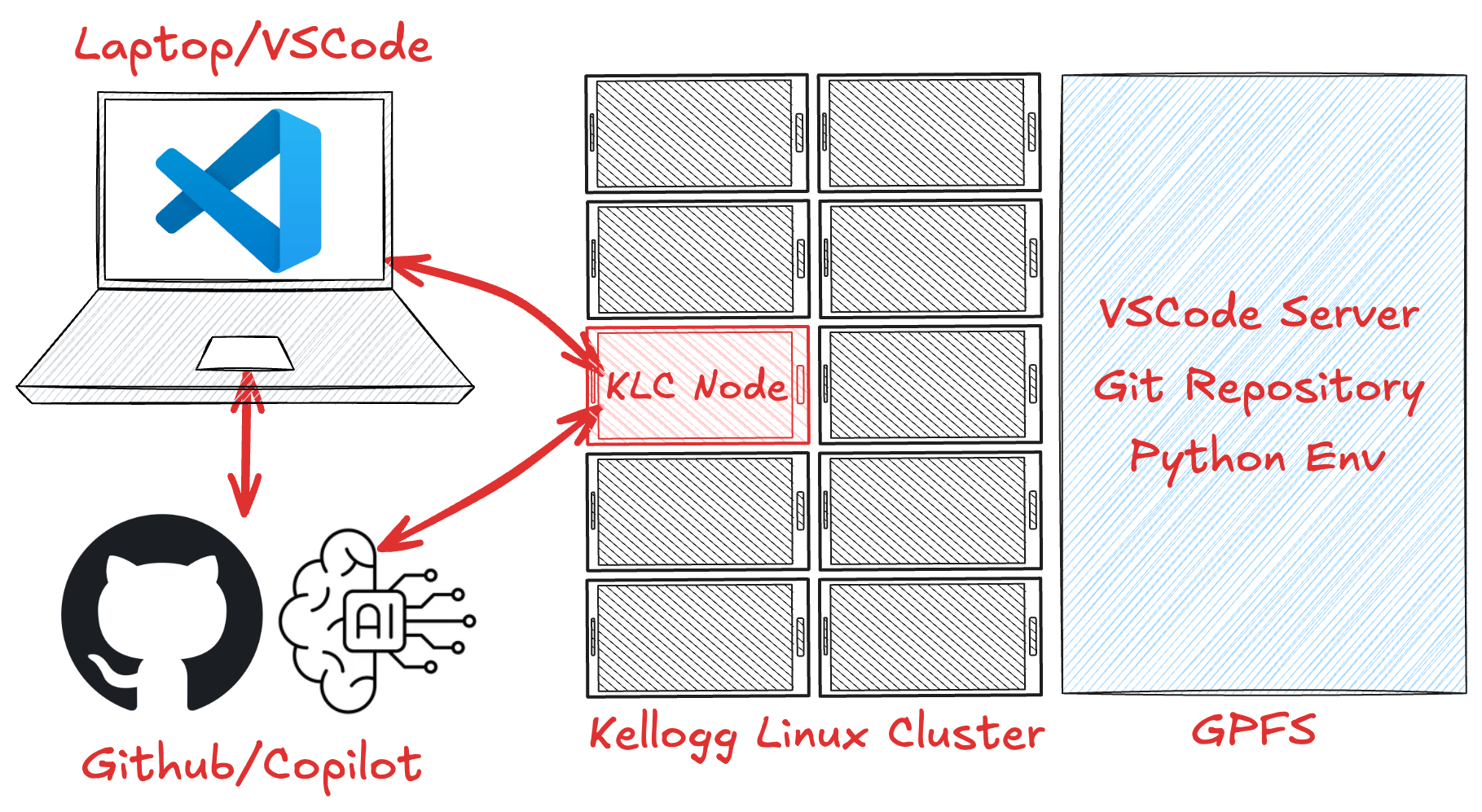
VS Code Installation Guide#
Install VS Code: Download and install Visual Studio Code from the official website.
Install Remote SSH Extensions: Open VS Code, go to the Extensions view by clicking on the Extensions icon in the Activity Bar on the side of the window, and search for
ms-vscode-remote.remote-ssh, and forms-vscode.remote-explorer. Install both extensions.Install GitHub Copilot Extenstions: Open VS Code, go to the Extensions view, and search for
github.copilotand forgithub.copilot-chat. Install both extensions (chat may not work on all systems).Install Python extension: Open VS Code, go to the Extensions view, and search for
ms-python.python. Install the extension.Install Jupyter extension: Open VS Code, go to the Extensions view, and search for
ms-toolsai.jupyter. Install the extension.
Github Setup#
Create a GitHub Account: If you don’t have one, create a GitHub account at github.com.
Sign up for GitHub Copilot: Go to the GitHub Copilot page and sign up for the service. You can choose a free option for now.
Kellogg Linux Cluster (KLC) Setup#
If you do not already have an account on the Kellogg Linux Cluster (KLC), please contact the KLC support team at rs@kellogg.northwestern.edu.
More information about KLC can be found on the KLC website.
Local Setup#
Install Git: If you don’t have Git installed, download and install it from the official website.
Install Python: If you don’t have Python installed, download and install it from the official website.
Install Conda: If you don’t have conda installed, download and install it from the official website.