
Explore Datasets and Tables#
On WRDS Online#
On the WRDS website, you can explore databases and their corresponding tables by navigating to the “Data Vendors” page here:
https://wrds-www.wharton.upenn.edu/pages/about/data-vendors/
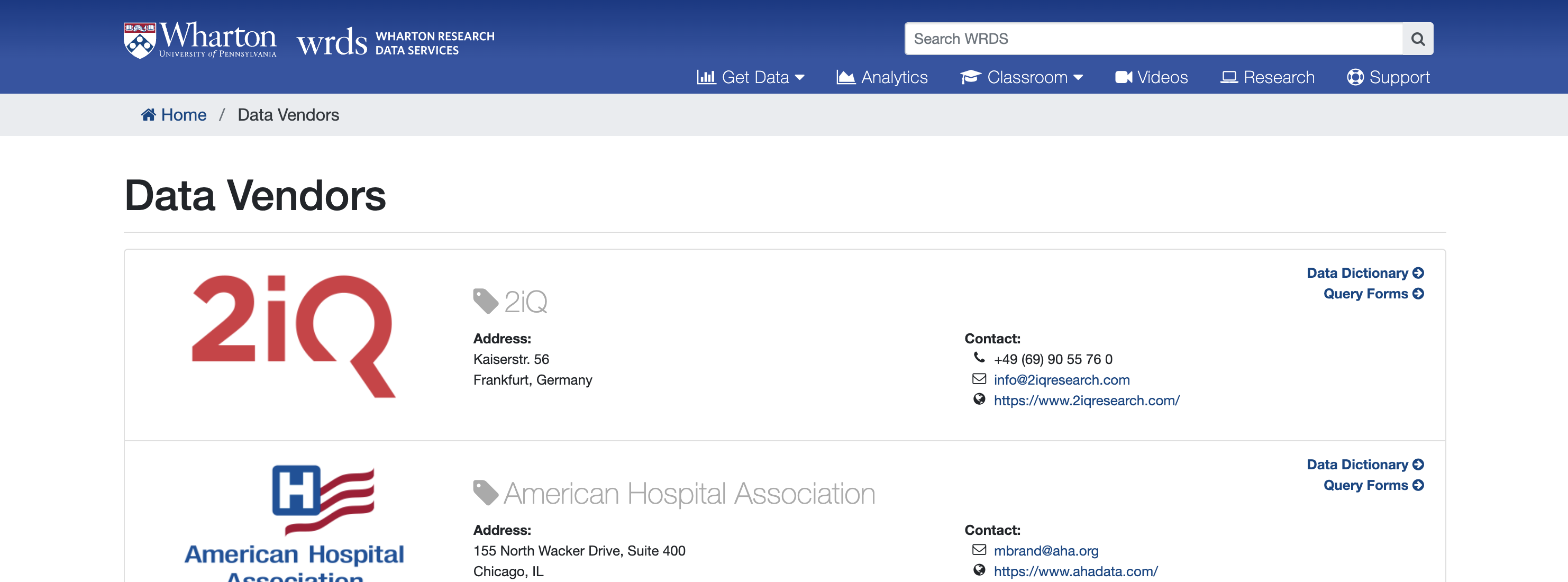
In order to use the Data Dictionaries, you will have to know the vendor for your database. For instance, S&P Global provides the Compustat Executive Compensation database. The Directors compensation table and its correponding variables can be found here: https://wrds-www.wharton.upenn.edu/data-dictionary/comp_execucomp/directorcomp/
In Python#
The wrds package in python also allow you to explore the database and corresponding tables. Please install and load the wrds package along with any other packages you will use. If you would like to use our shared conda environment today, you can access it with:
module load mamba
source activate /kellogg/software/envs/wrds25_env
# packages
import wrds
import pandas as pd
Once you have a hidden pgpass file saved, you will not have to enter your crednetials the next time you login to the WRDS API in python.
conn = wrds.Connection(wrds_username='best-user-ever')
Loading library list...
Done
These are the available functions in the wrds package:
conn.connection()- setupconn.list_libraries()- exploreconn.list_tables()- exploreconn.describe_table()- exploreconn.get_table()- queriesconn.raw_sql()- queries
To get details on any of these functions.
help(conn.list_libraries)
Help on method list_libraries in module wrds.sql:

list_libraries() method of wrds.sql.Connection instance
    Return all the libraries (schemas) the user can access.

    :rtype: list

    Usage::
    >>> db.list_libraries()
    ['aha', 'audit', 'block', 'boardex', ...]
To get a list of all WRDS libraries or databases
libs = conn.list_libraries()[60:95]
print(libs)
['comp_snapshot', 'comp_urq', 'comph', 'compsamp', 'compsamp_all', 'compsamp_snapshot', 'compseg', 'compsnap', 'contrib', 'contrib_as_filed_financials', 'contrib_ceo_turnover', 'contrib_char_returns', 'contrib_corporate_culture', 'contrib_general', 'contrib_global_factor', 'contrib_green_returns', 'contrib_intangible_value', 'contrib_kpss', 'contrib_liquidity_taq', 'contrib_liva', 'crsp', 'crsp_a_ccm', 'crsp_a_indexes', 'crsp_a_stock', 'crsp_a_treasuries', 'crsp_m_ccm', 'crsp_m_indexes', 'crsp_m_stock', 'crsp_m_treasuries', 'crsp_q_ccm', 'crsp_q_indexes', 'crsp_q_mutualfunds', 'crsp_q_stock', 'crsp_q_treasuries', 'crspm']
To find all the tables in certain databases.
conn.list_tables(library='bvd_orbis_large')[0:5]
['ob_additional_company_info_l',
 'ob_all_addresses_l',
 'ob_all_cur_shh_1st_level_l',
 'ob_all_subs_first_level_l',
 'ob_auditors_current_l']
To find a description of a particular table in a database.
conn.describe_table(library='bvd_orbis_large', table='ob_key_financials_l')
Approximately 16803566 rows in bvd_orbis_large.ob_key_financials_l.
| name | nullable | type | comment | |
|---|---|---|---|---|
| 0 | bvdid | True | VARCHAR(50) | BVD ID NUMBER |
| 1 | category_of_company | True | VARCHAR(20) | CATEGORY OF THE COMPANY |
| 2 | ctryiso | True | VARCHAR(2) | COUNTRY ISO CODE |
| 3 | conscode | True | VARCHAR(2) | CONSOLIDATION CODE |
| 4 | filing_type | True | VARCHAR(25) | FILING TYPE |
| 5 | closdate | True | DATE | CLOSING DATE |
| 6 | closdate_year | True | DOUBLE PRECISION | Year part of CLOSING DATE (created from CLOSDA... |
| 7 | nr_months | True | VARCHAR(2) | NUMBER OF MONTHS |
| 8 | audstatus | True | VARCHAR(25) | AUDIT STATUS |
| 9 | accpractice | True | VARCHAR(25) | ACCOUNTING PRACTICE |
| 10 | source | True | VARCHAR(50) | SOURCE (FOR PUBLICLY QUOTED COMPANIES) |
| 11 | orig_units | True | VARCHAR(25) | ORIGINAL UNITS |
| 12 | orig_currency | True | VARCHAR(3) | ORIGINAL CURRENCY |
| 13 | exchrate | True | DOUBLE PRECISION | EXCHANGE RATE FROM ORIGINAL CURRENCY |
| 14 | opre | True | DOUBLE PRECISION | OPERATING REVENUE (TURNOVER) |
| 15 | plbt | True | DOUBLE PRECISION | P/L BEFORE TAX |
| 16 | pl | True | DOUBLE PRECISION | P/L FOR PERIOD (=NET INCOME) |
| 17 | cf | True | DOUBLE PRECISION | CASH FLOW |
| 18 | toas | True | DOUBLE PRECISION | TOTAL ASSETS |
| 19 | shfd | True | DOUBLE PRECISION | SHAREHOLDERS FUNDS |
| 20 | curr | True | DOUBLE PRECISION | CURRENT RATIO (X) |
| 21 | prma | True | DOUBLE PRECISION | PROFIT MARGIN (%) |
| 22 | rshf | True | DOUBLE PRECISION | ROE USING P/L BEFORE TAX (%) |
| 23 | rcem | True | DOUBLE PRECISION | ROCE USING P/L BEFORE TAX (%) |
| 24 | solr | True | DOUBLE PRECISION | SOLVENCY RATIO (ASSET BASED) (%) |
| 25 | _611 | True | DOUBLE PRECISION | PRICE EARNING RATIO (X) |
| 26 | empl | True | DOUBLE PRECISION | NUMBER OF EMPLOYEES |
| 27 | astk_market_cap | True | DOUBLE PRECISION | MARKET CAPITALISATION (MIL) |
In R#
These are the functions available in R:
dbConnect()– setupdbGetQuery(wrds, "SELECT schema_name FROM information_schema.schemata")– explore librariesdbGetQuery(wrds, "SELECT table_name FROM information_schema.tables WHERE table_schema='execcomp'")– explore tablesdbGetQuery(wrds, "SELECT column_name, data_type FROM information_schema.columns WHERE table_schema='execcomp' AND table_name='excomp'")– describe tabledbGetQuery(wrds, "SELECT * FROM execcomp.excomp LIMIT 5")– quick table querydbGetQuery(wrds, "SELECT ...")– raw SQL query
To find the description of the variables in a table in R:
import rpy2
%load_ext rpy2.ipython
The rpy2.ipython extension is already loaded. To reload it, use:
  %reload_ext rpy2.ipython
%%R
library(DBI)
library(RPostgres)

wrds <- dbConnect(
   Postgres(),
   host = 'wrds-pgdata.wharton.upenn.edu',
   port = 9737,
   dbname = 'wrds',
   sslmode = 'require',
   user = 'best-user-ever',
   )
%%R
# Create SQL query
sql <- paste0("
  SELECT column_name, data_type, is_nullable
  FROM information_schema.columns
  WHERE table_schema = 'bvd_orbis_large'
    AND table_name = 'ob_key_financials_l'
  ORDER BY ordinal_position;
")

# Execute the query
desc <- dbGetQuery(wrds, sql)

print(desc)
           column_name         data_type is_nullable
1                bvdid character varying         YES
2  category_of_company character varying         YES
3              ctryiso character varying         YES
4             conscode character varying         YES
5          filing_type character varying         YES
6             closdate              date         YES
7        closdate_year  double precision         YES
8            nr_months character varying         YES
9            audstatus character varying         YES
10         accpractice character varying         YES
11              source character varying         YES
12          orig_units character varying         YES
13       orig_currency character varying         YES
14            exchrate  double precision         YES
15                opre  double precision         YES
16                plbt  double precision         YES
17                  pl  double precision         YES
18                  cf  double precision         YES
19                toas  double precision         YES
20                shfd  double precision         YES
21                curr  double precision         YES
22                prma  double precision         YES
23                rshf  double precision         YES
24                rcem  double precision         YES
25                solr  double precision         YES
26                _611  double precision         YES
27                empl  double precision         YES
28     astk_market_cap  double precision         YES
Lab 2#
Lab 2 - Obtain Directors Compensation Table
Either in R or Python:
Obtain the variable list for the Director’s Compensation Table in Compustat
Explore the variable list for any table you like