Transferring Files#
KLC - Local workstation#
These programs allow simple drag-and-drop to transfer files.
Cyberduck
MobaXterm
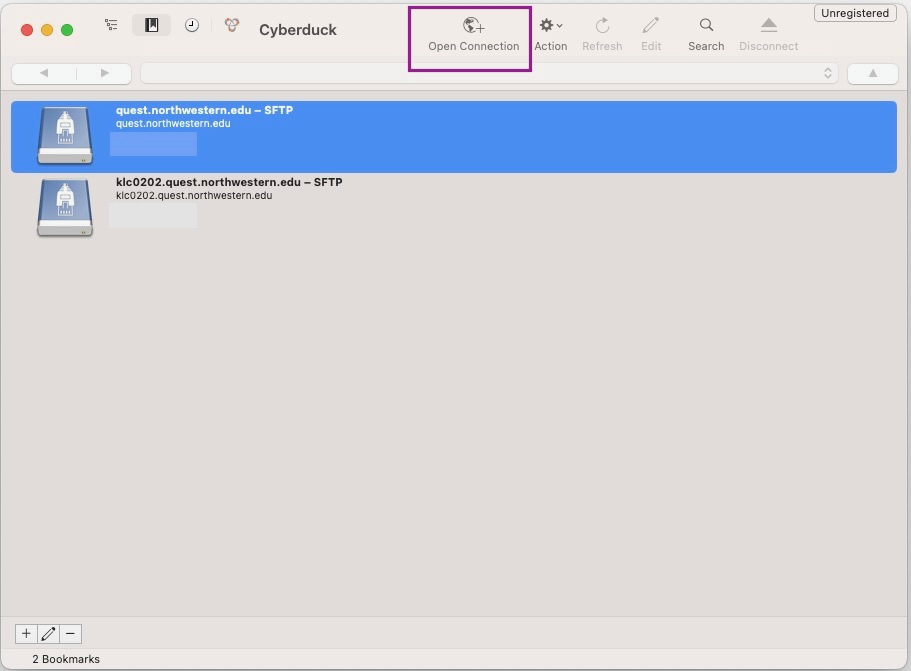
Instructions using Cyberduck as an example:
Select “Open Connection”
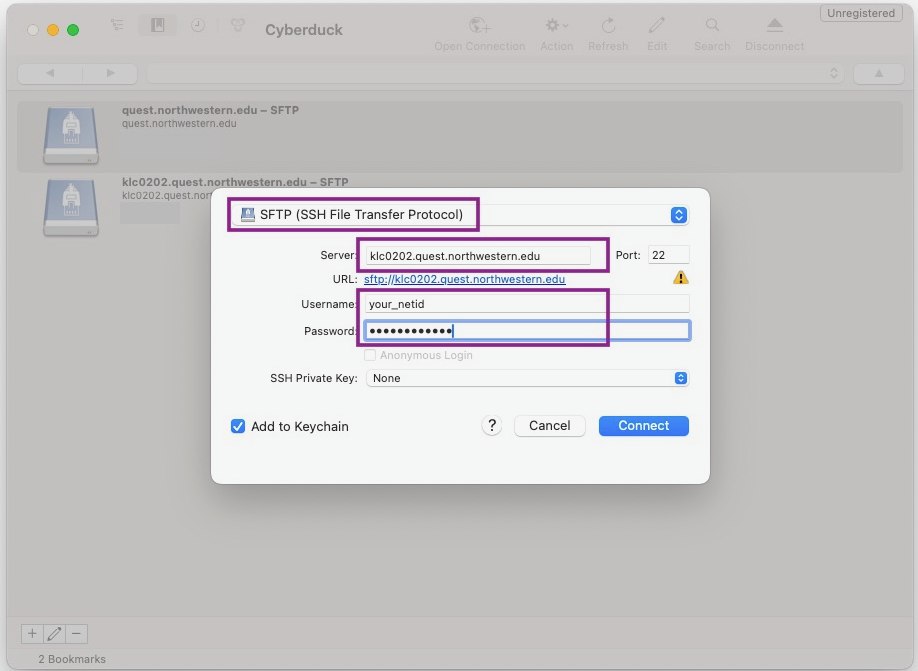
Select the SFTP protocol
Enter the server address (e.g. any KLC login node address:
klc0202.quest.northwestern.edu), leave the port as 22Use your NU netid and password for login
KLC - Onedrive or external platform#
Globus is a secure, reliable tool for transferring large files between systems — ideal for moving research data between Kellogg servers and external platforms like Northwestern Quest or cloud storage.
It supports high-speed transfers, automatic retries, and sharing data with collaborators — no need to zip files or worry about timeouts.
Detailed instructions about Globus are documented on NU IT Knowledge Base:
Using the Quest Globus endpoint; Collection:
Northwestern QuestUsing the OneDrive/SharePoint Globus Endpoint; Collection:
Northwestern OneDrive/SharePoint - High Assurancelink