
Using Git#
Overview#
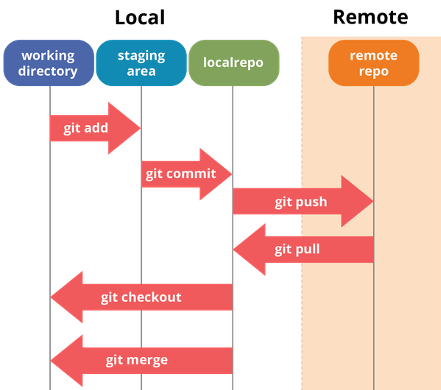
Image taken from: https://dev.to/mollynem/git-github–workflow-fundamentals-5496
Set up Git on KLC#
Set the username and email it will use when it records your commits (done once; unrelated to github login)
git config --global user.name "John Doe"
git config --global user.email johndoe@northwestern.edu
git config --list
Common git Commands#
# Initialize tracking of a new directory
cd work_directory
git init

# Download Github repo to your current directory
git clone github_repo_html_link

# Check current status
git status
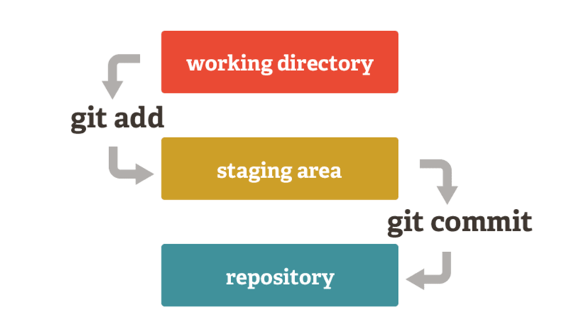
Image taken from:
https://medium.com/tech-and-the-city/changing-a-super-old-git-commit-history-20346f709ca9
# Add new file for git tracking
git add filename

# Adds all changes to existing files to the Staging Area
git add -u

# Commit changes to repo
git commit -m "message"

# Check log of commit
git log

# Retrieve a previous version of a commit
git checkout <commit hash>
Resources#
Advanced topics: nuitrcs/intermediate-git-workshop