
Text Classification#
Supervised learning and classification tasks#
Let’s start by reviewing some of the basics of machine learning. Supervised learning is the process of training a model using labelled data to predict the same values on unlabelled data. There are two types of supervised learning problems: classification and regression. The former is the process of predicting a label that can be categorized into one of two or more categories while the latter predicts a continuous variable.
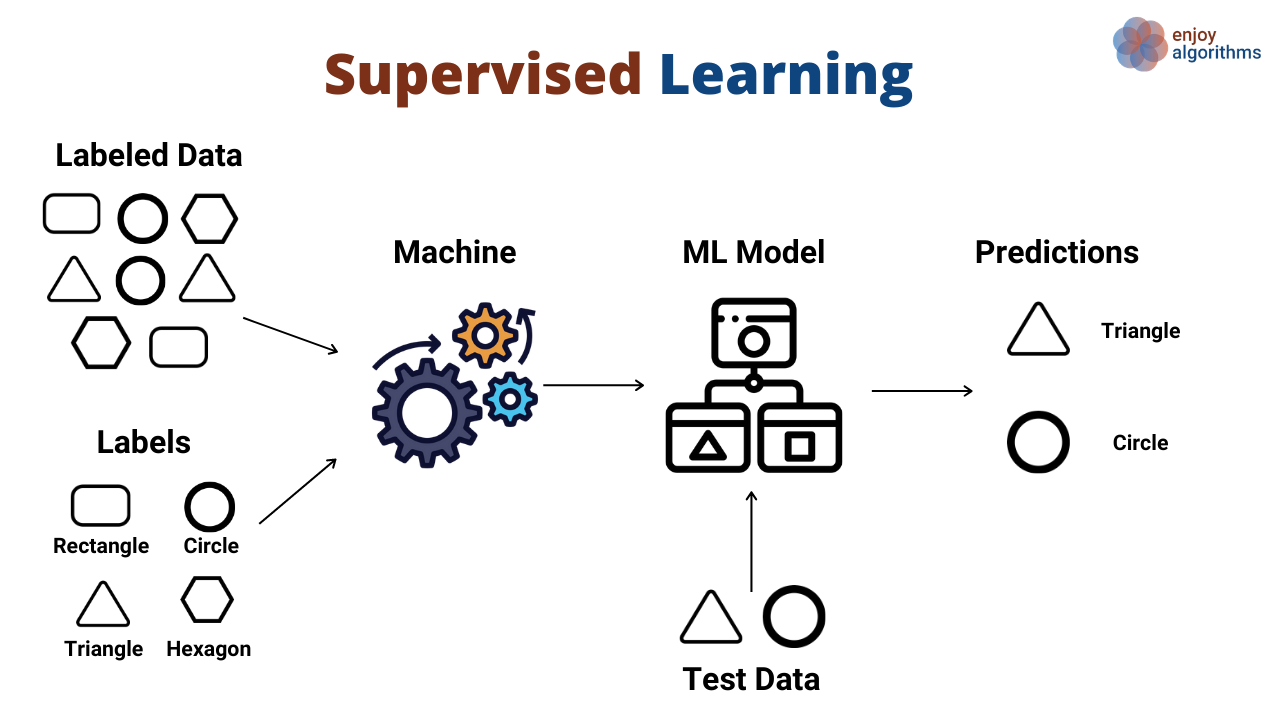
Text classification is a supervised learning task specifically. Natural language processing (NLP) models would require pre-labelled classification of “documents” (e.g., any collection of text: a PDF, an article, a tweet) and the potentially painstaking process of feature engineering to train a model to output the correct classifcation of unlabelled documents.
LLMs can replace other machine learning tasks for classification of texts. Unlike NLP models that require pre-labeled training data or a pre-defined vocabulary of words or n-grams (i.e., feature engineering), LLMs allow for zero-shot or few-shot learning to label text-like data.
Examples:
sentiment analysis of Yelp reviews
categorize customer support requests (refund, complaint, login issues, etc.)
SPAM filter
Hate speech or inappropriate speech detection on social media
Topic identification of articles
Code walkthrough: labeling sentiment of Tweets regarding a specific event or hashtag#
For this example, we are going to assume that the Tweets (or x-eets?) have already been mined from the API. The actual process of obtaining/purchacing an API key and interacting with the API for Twitter/X is beyond the scope of this example.
Below are some tweets pulled from around the time the season finale of Game of Thrones ended on May 19, 2019 that contain the hashtags #GOT or #GameOfThrones. This eight year HBO series was the cultural zeitgeist of the last decade and despite having fantastic reviews the first seven seasons, had a very controversial ending.
tweets = [
'''
Can’t believe #GameOfThrones is coming to an end 😭.
This season will never take away how much love I have for this show man
''',
'''
Last #GameOfThrones episode tonight.  Nervous I’ll be disappointed.
''',
'''
The more I ponder, the more I ADORE WITH A PASSION #LadyOlenna of House Tyrell.
This BADASSERY WILL NEVER BE SEEN AGAIN ON TV. #GameOfThronesFinale #GameofThrones
''',
'''
When you’re the only person at a GOT finale watch party
that hasn’t seen one damn episode.  #me #GOT #sundaysareforwine
''',
'''
It wouldnt be so bad if they didnt make us wait an extra year.
But they did and they fed us 6 episodes of TBS original programming quality poop! #GoT
''',
'''
Based on the uproar over the ending I'm glad I never watched #GameOfThrones
''',
'''
Rewatching #Gameofthrones finale.
Danny’s speech was so awesome. So badass.
And the unsullied with the Uruk-hai spear chant. Dope.
''',
'''
Bran=Dr Strange. Both knew what had to happen to save the world,
but neither could interfere or it would disturb the timeline.
They also used that knowledge to encourage certain situations to
acquire the desired outcome. #GOT #AvengersEngame
''',
'''
“'Game of Thrones' and star Peter Dinklage are big wins for portrayal of little people.

Little people have always been stereotyped in movies and TV. "Game of Thrones,"
and the character Tyrion, is a breakthrough”
https://usatoday.com/story/life/2019/05/19/game-of-thrones-peter-dinklage-hero-little-people/3736538002/

#GameOfThrones  #RepresentationMatters
'''
]
What if we wanted to organize these tweets into different categories? For example, we can ask if the person writing the tweet is a die-hard fan of the show or someone who has never watched it. We can also ask if the person has a positive, negative, or neutral reaction to the series finale.
We’ll use the langchain software in Python to build our prompts. Langchain can interface with a number of different LLMs (including OpenAi, which we’ll use in this example) and ways to chain together prompts to get the desired output.
You can install the langchain module and its dependent openai module using pip.
pip install langchain
pip install openai
You will also want to create an environment variable containing your OpenAI API token.
export OPENAI_API_KEY = YOUR-TOKEN-HERE
You can also do this in Python.
import os
os.environ['OPENAI_API_KEY'] = 'YOUR TOKEN HERE'
from dotenv import load_dotenv

# load the .env file containing your API key
load_dotenv()
True
Designing the right prompt#
We want to send a prompt to the AI that explains the task and the desired output. We may not need to be super precise when working with Chat GPT, but if we are working with code, we need to be more thoughtful about our design as we want a consistent output that won’t trip up in automation. Here are some helpful tips to keep in mind.
Specify the output format: in this example, we want to classify the text into one of three categories of sentiments – positive, negative, or neutral. We could tell GPT to output one of those texts, or more simply, an integer coded to one of those values. Also, a single integer is one token and therefore the cheapest output the API can give us (remember that both input and output token counts contribute to the overall cost of prompts)! You may also want a Python list, tuple, or maybe even a JSON, CSV, or HTML file for more complex information. Any of these are possible: just be specific! You can also specify a limit on the number of output tokens when initializing the LLM. If you are asking for output in a coding language, you might want to also specify the version (i.e., Python 2 vs 3).
Provide examples: Examples are the equivalent of providing a training set to supervised learning models; however, the list of examples does not nearly need to be as vast as a traditional training set. LLMs are pre-trained zero-shot learners, which means they can do a fairly good job at generating the desired output without the user needing to do any fine-tuning. However, providing a few examples of what the output should look like, or “few-shot learning”, can make the model much more reliable. I gave a single example and was able to get consistent results; but feel free to provide more.
Prompt template#
Langchain provides an easy way to design a prompt template we can use to enter multiple variables into the prompt so it can be used over and over again. In this case, the only variable we have is the tweet itself. We can enter that text into the prompt using f-strings in Python.
from langchain.prompts import PromptTemplate

template = PromptTemplate(template='''
Classify the following tweet into one of the following categories:

1. Positive
2. Negative
3. Neutral

Return the answer as a number 1, 2, or 3.

===
Example:
Tweet: The ending of Game of Thrones was so bad. I can't believe they did that to us.

Result: 2
===

Here is the Tweet:
{tweet}
''',
input_variables=['tweet'],output_parser=None)

## Note: langchain does allow for users to provide their own output parser class
## inherited from a base class offered in the library. Designing an output parser
## is beyond the scope of this work as it is more advanced Python coding. But those
## who are familiar with object oriented programming should give it a try!
We can launch a chat model from OpenAI using langchain as well. Let’s use gpt-3.5-turbo with temperature=0 (no creativity) and max_tokens=1 (since we only want a single character output).
from langchain.chat_models import ChatOpenAI

llm = ChatOpenAI(temperature=0,model_name='gpt-3.5-turbo',max_tokens=1)
Next we’ll simply loop over each tweet, insert it into the prompt, and then call the API to predict the sentiment. If we were doing this for several hundred or more tweets, we might want need to worry about managing timing limits on the number of calls we are allowed to make per minute/day.
sentiments = []
for tweet in tweets:
    prompt = template.format(tweet=tweet)
    result = llm.predict(prompt)
    sentiments.append(result)
Now, let’s ask GPT to print out all of the positive (1) tweets and negative (2) tweets.
print("These tweets are positive:")

for s,t, in zip(sentiments,tweets):
    if s == '1':
        print(t)

print("=========================================")
print("These tweets are negative:")
for s,t, in zip(sentiments,tweets):
    if s == '2':
        print(t)
These tweets are positive:

Can’t believe #GameOfThrones is coming to an end 😭.
This season will never take away how much love I have for this show man


The more I ponder, the more I ADORE WITH A PASSION #LadyOlenna of House Tyrell.
This BADASSERY WILL NEVER BE SEEN AGAIN ON TV. #GameOfThronesFinale #GameofThrones


Rewatching #Gameofthrones finale.
Danny’s speech was so awesome. So badass.
And the unsullied with the Uruk-hai spear chant. Dope.

=========================================
These tweets are negative:

Last #GameOfThrones episode tonight.  Nervous I’ll be disappointed.


It wouldnt be so bad if they didnt make us wait an extra year.
But they did and they fed us 6 episodes of TBS original programming quality poop! #GoT


Based on the uproar over the ending I'm glad I never watched #GameOfThrones
We can agree fairly well that these tweets do fall well into the sentiments predicted by GPT; however, we still don’t know the root cause of the sentiment. For example, are they positive about a particular character? Is their negativity focused specifically on the finale? These are answers that we could still extract from GPT. We just have to write a more directed prompt.
A look ahead into the future of GPT: image classification#
While browsing Tweets, I noticed that many of them had most of the sentiment contained in the context of the image rather than the text itself.
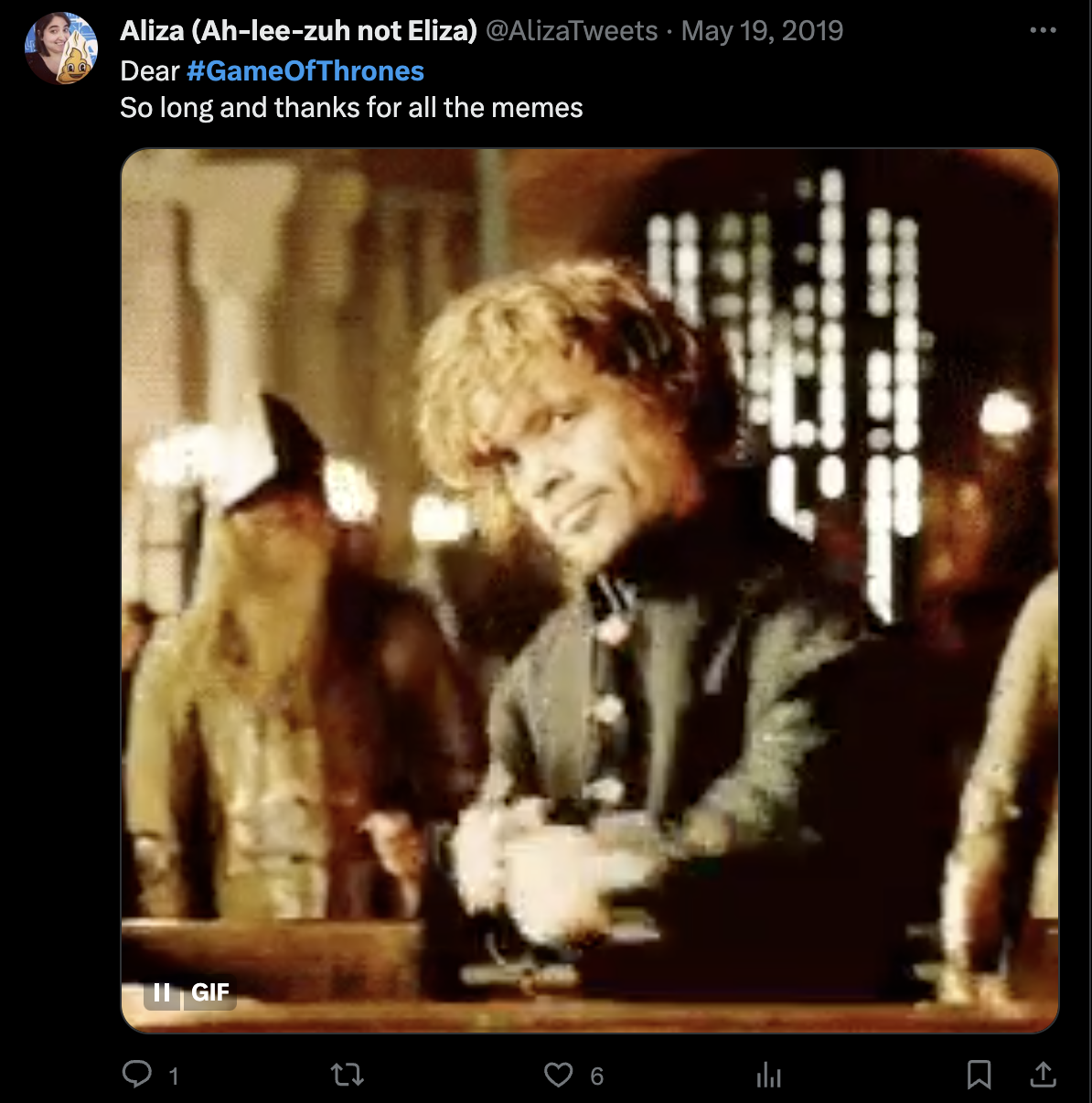
Luckily, GPT 4 now has the ability to use static images (i.e., no videos or animated GIFs) as an input. Since this is such a new feature, we unfortunately do not have any examples to showcase the capabilities yet. Nonetheless, the ability to provide both text and images would greatly improve the predictability of AI model on sentiment analysis.