Introduction#
Project Lifecycle
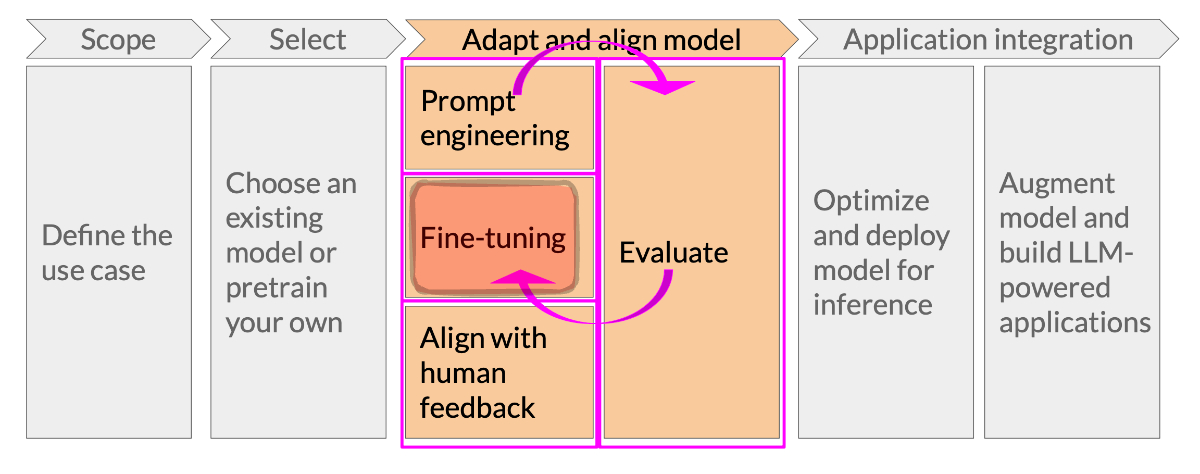
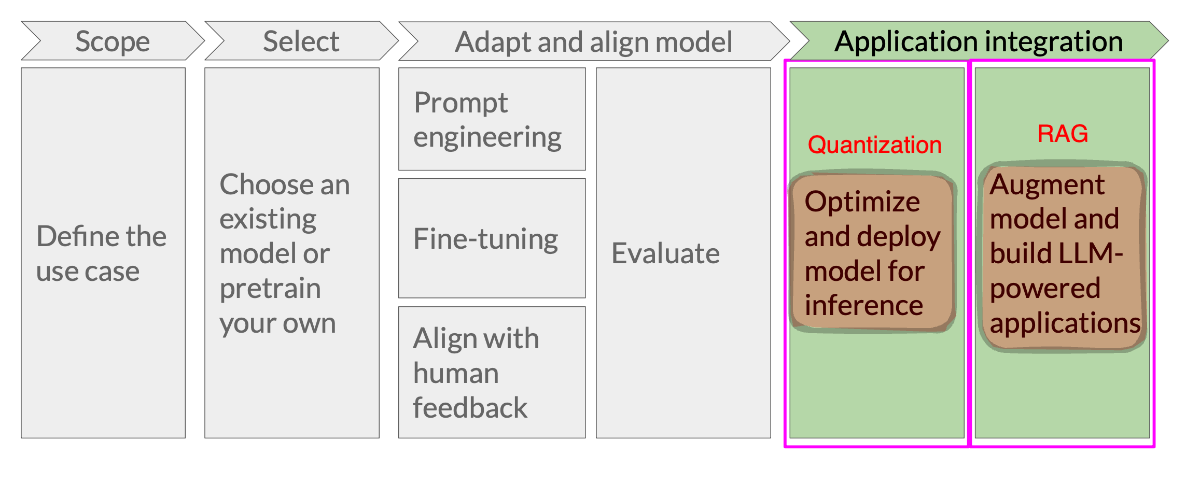
Every LLM project goes through at least some version of this lifecycle:
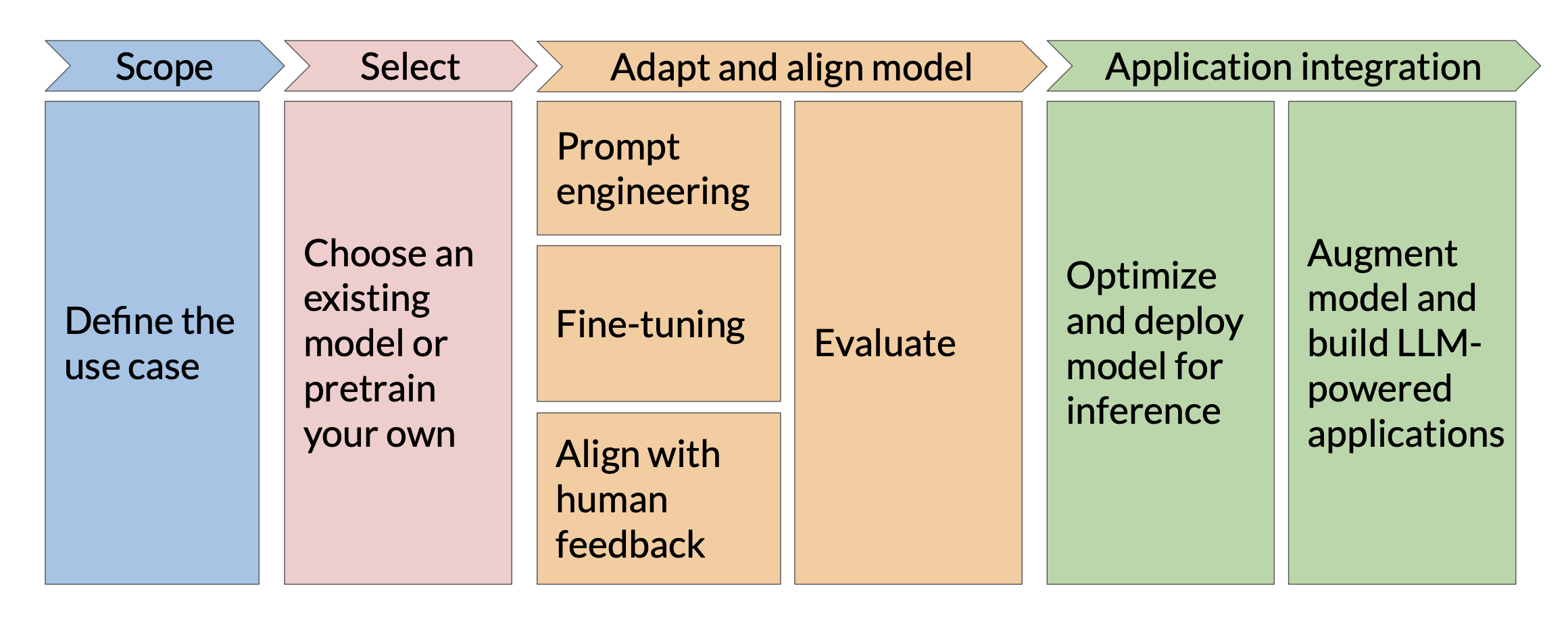
(Diagram taken from DeepLearning.AI, provided under the Creative Commons License)
Focus of Workshop
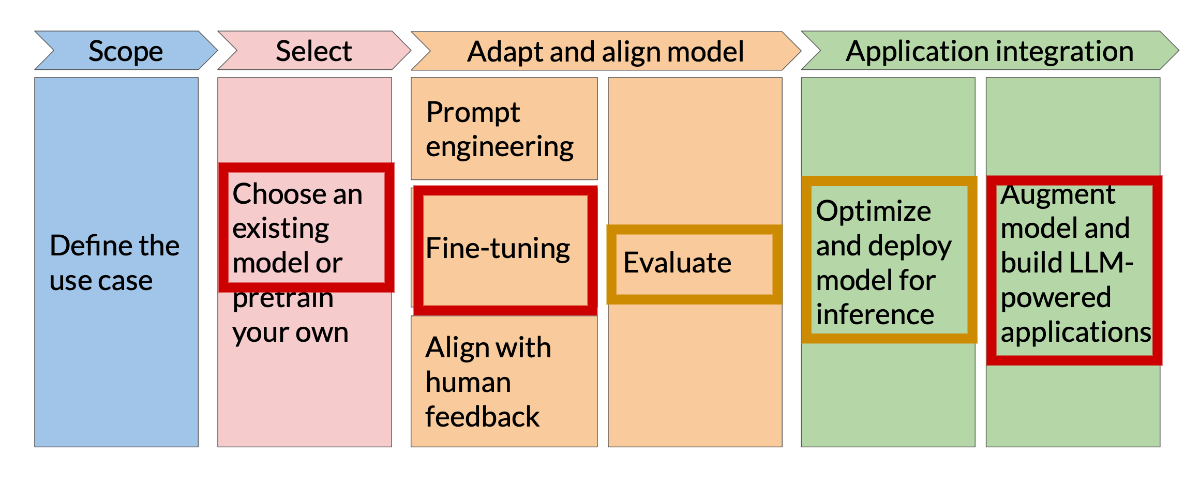
Focus of this workshop are to look at best practices with regard to:
Selecting and Executing open source LLMs on Quest and on the Kellogg Linux Cluster (KLC)
Adapting models by using fine-tuning to improve performance and accuracy
Integrating with external resources at run-time to improve LLM knowledge and reduce hallucinations
Define the Use Case#
Determines the model you pick, evaluations, data
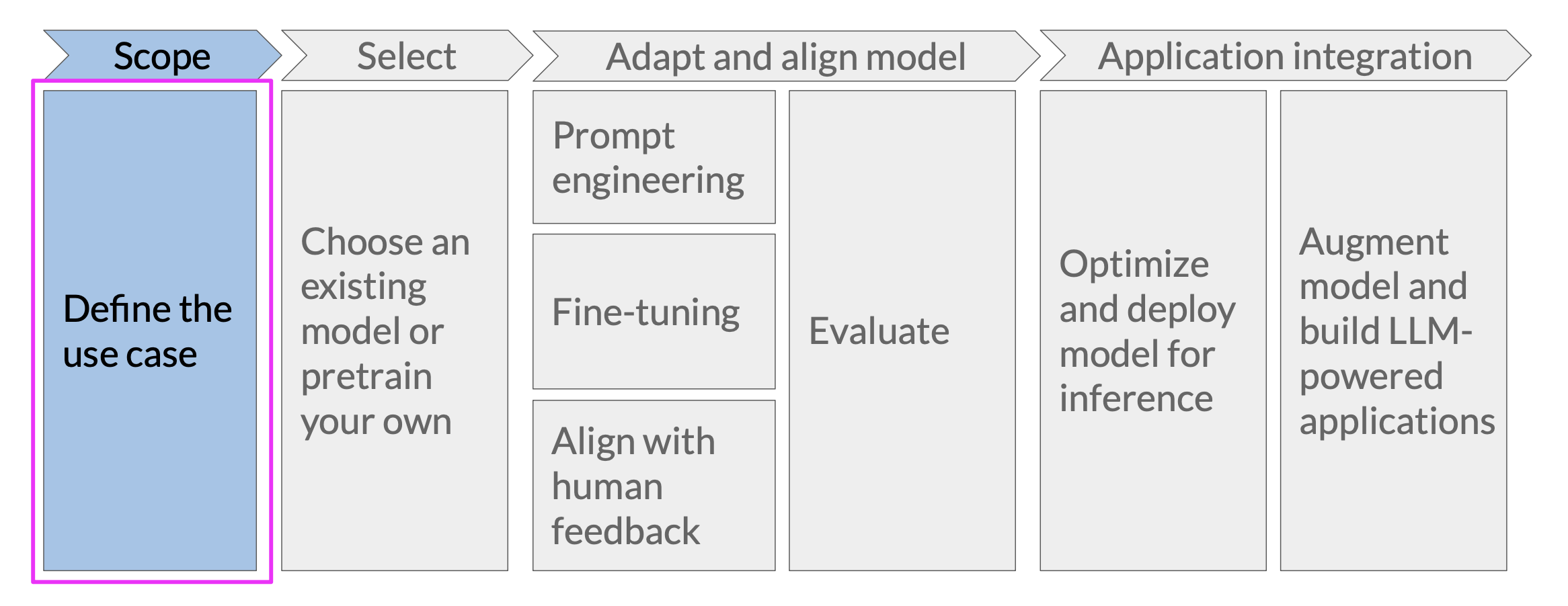
Your plan should specify:
What data will I be using to achieve my research goal?
How much data do I need?
How will I evaluate LLM output?
What counts as good enough?
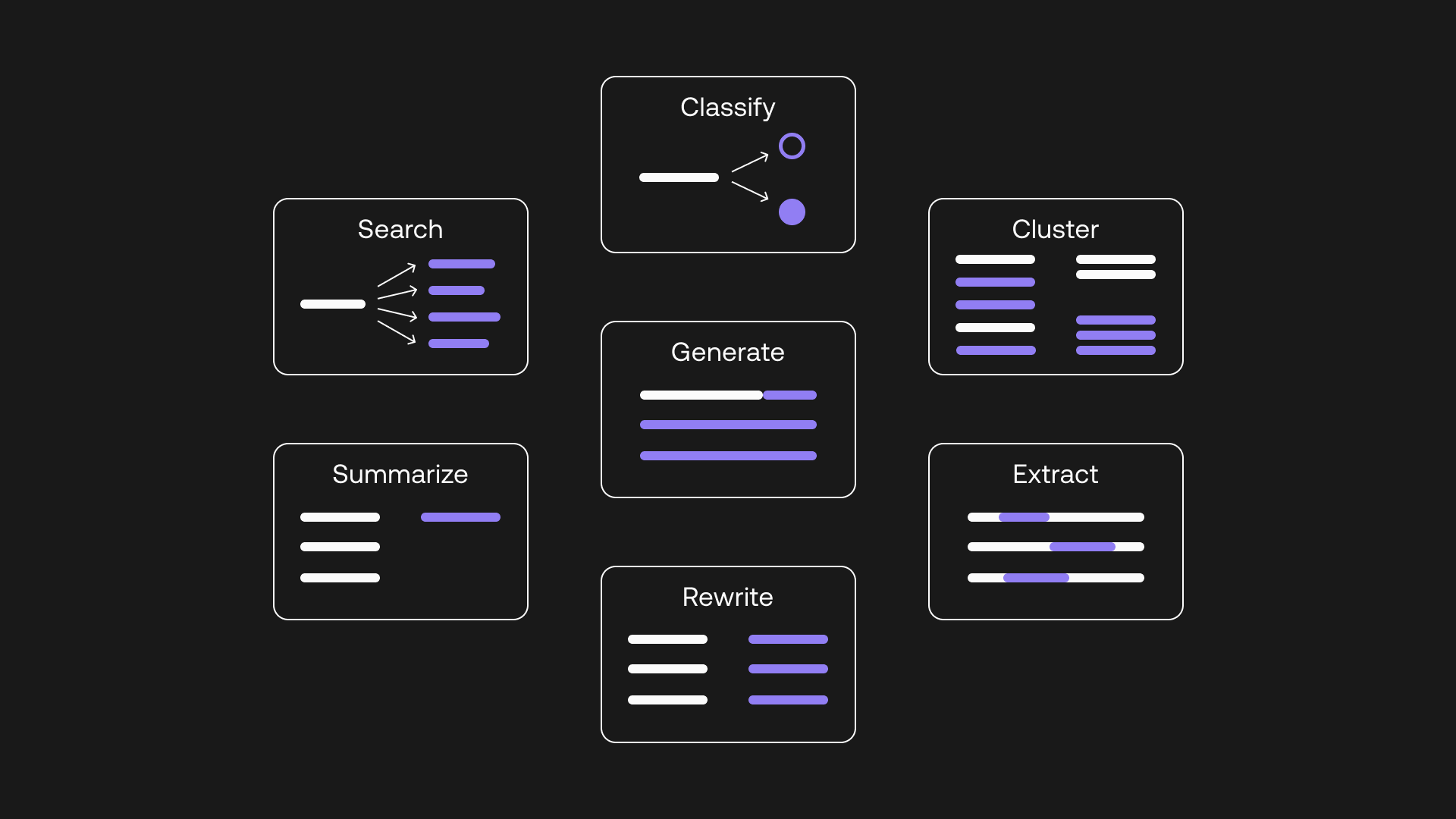
Types of Use Cases
LLMs support different types of use cases, often with somewhat different underlying model architectures:
Select a Model#
Many models to choose from
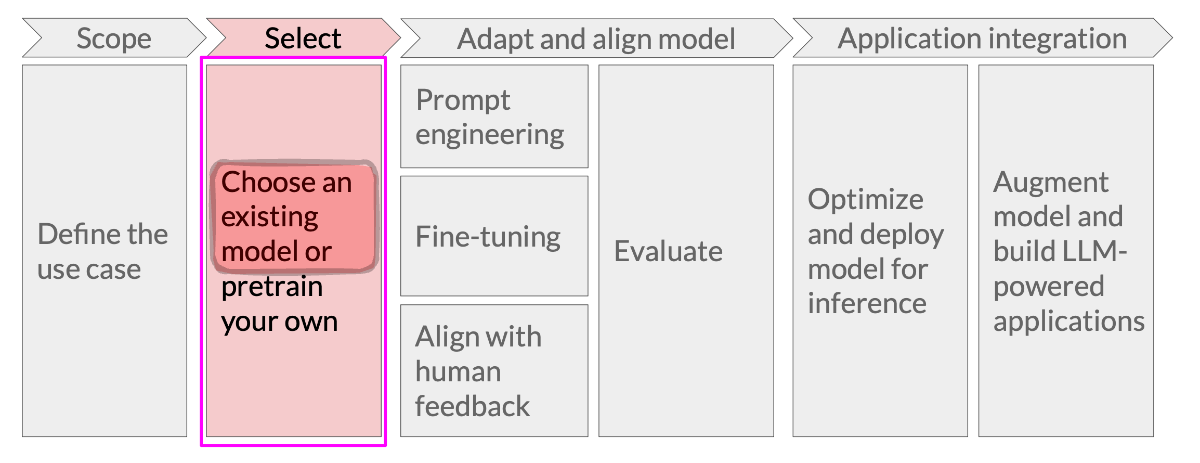
Why choose open source over closed source models like GPT-4?
Reproducibility
Data privacy
Flexibility to adapt a model
Ability to share a model
Cost at inference time
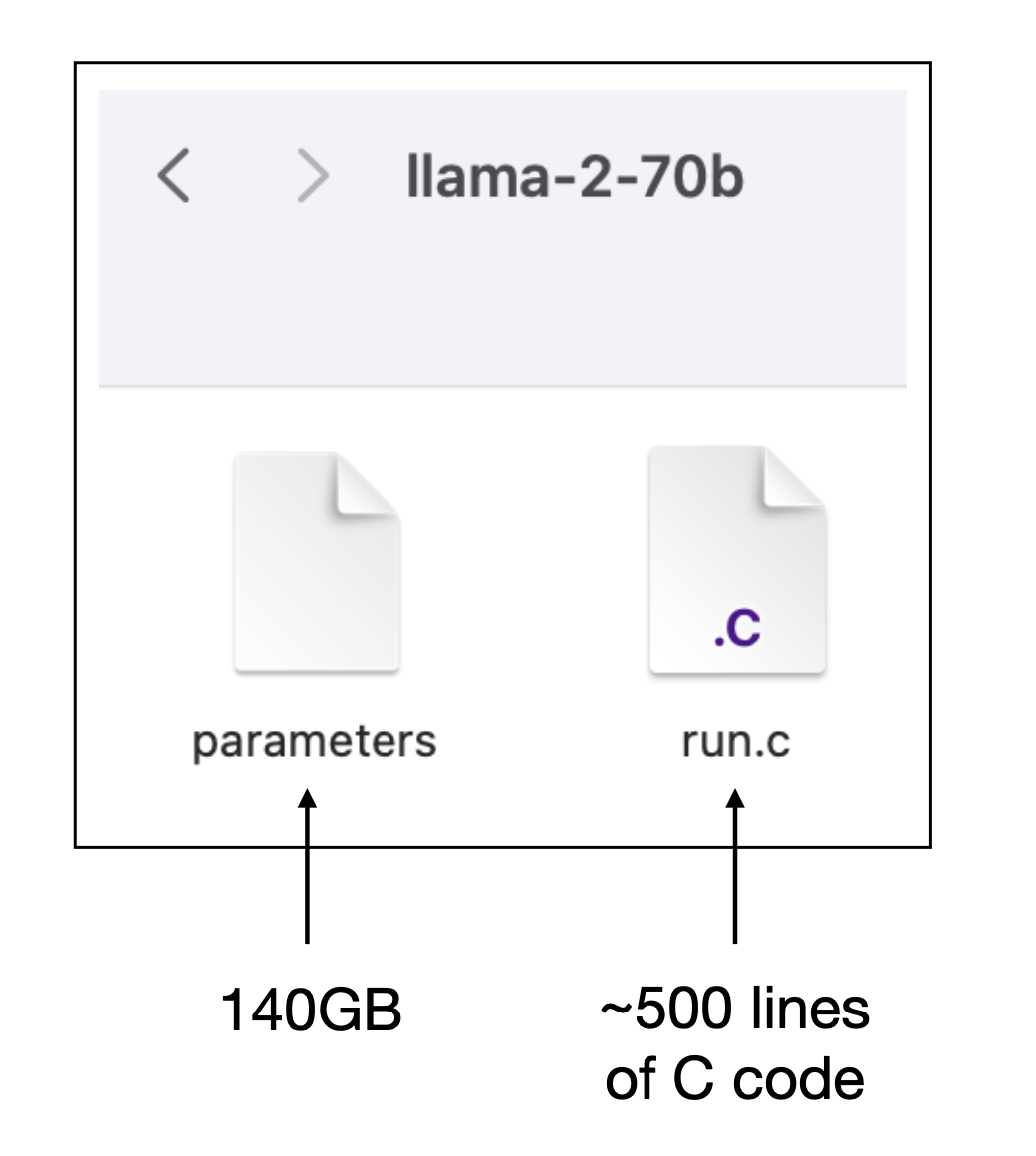
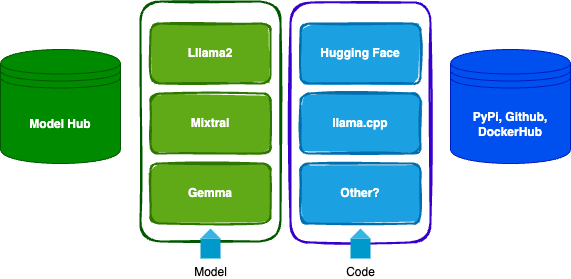
Models vs. Code
The model is a large file of weights, code loads the weights into the correct neural network topology and repeatedly executes ahuge number vector/matrix operations (image source)
[Code for training a GPT-2 class model is only slightly longer]
Models vs. Code
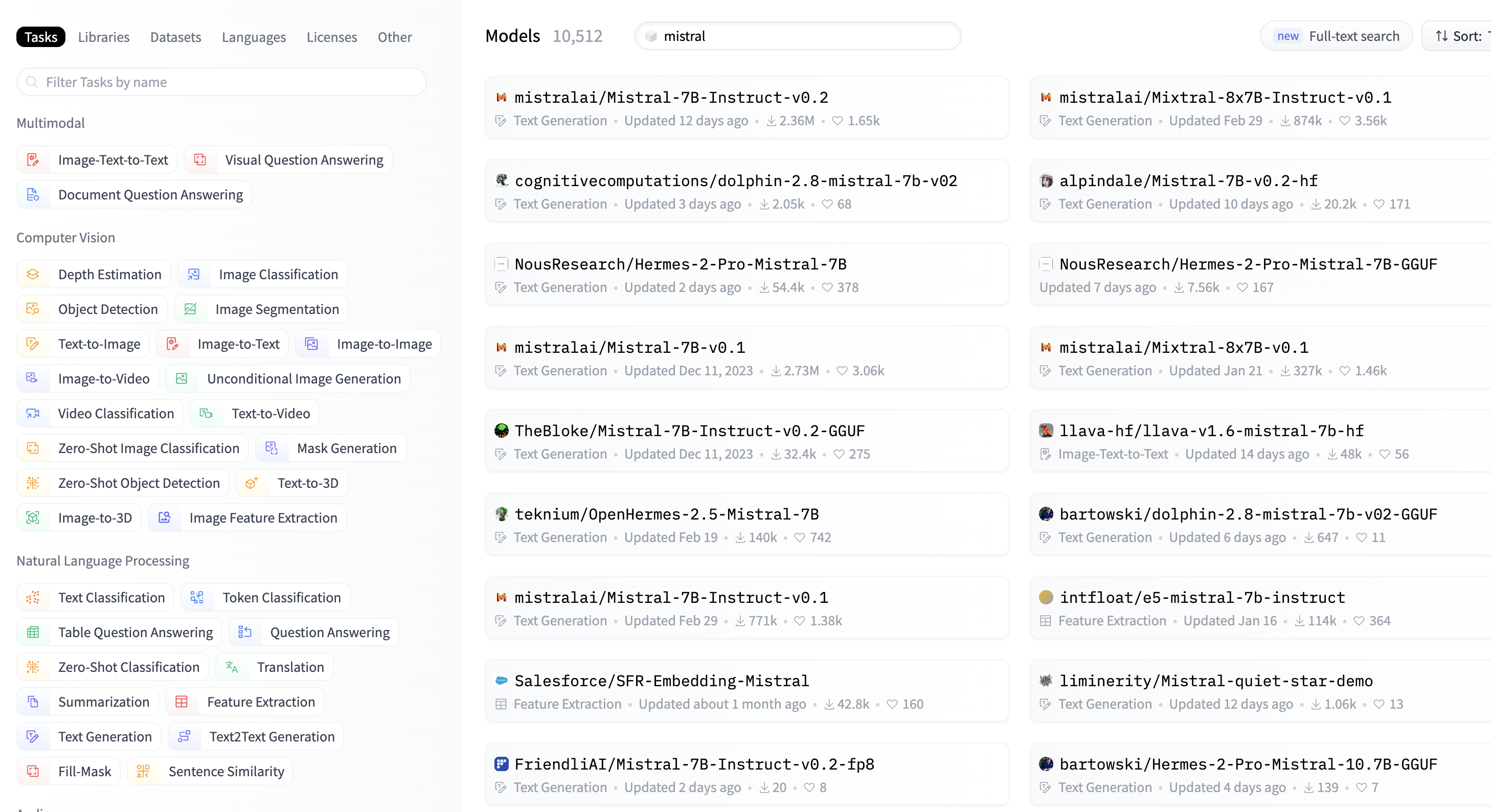
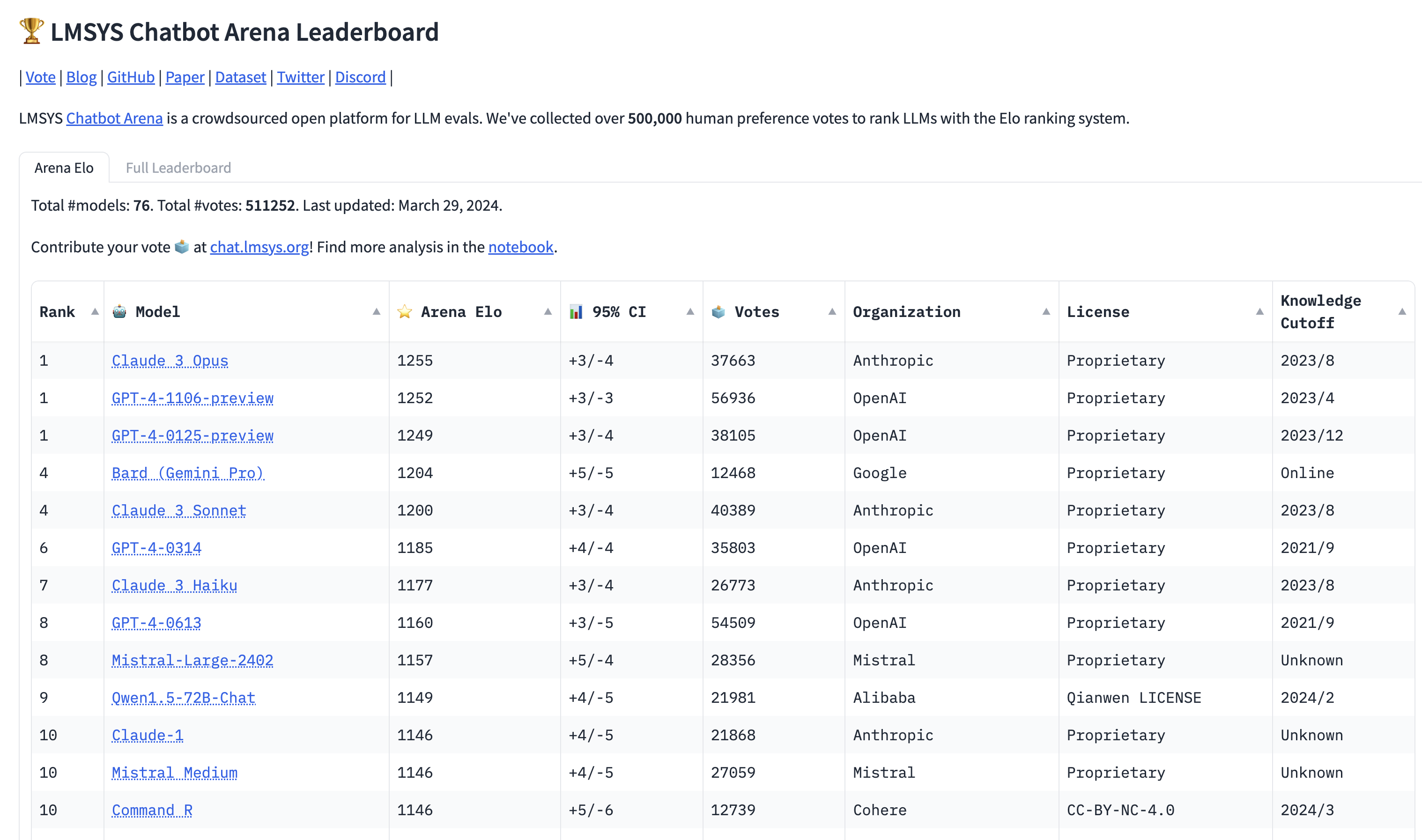
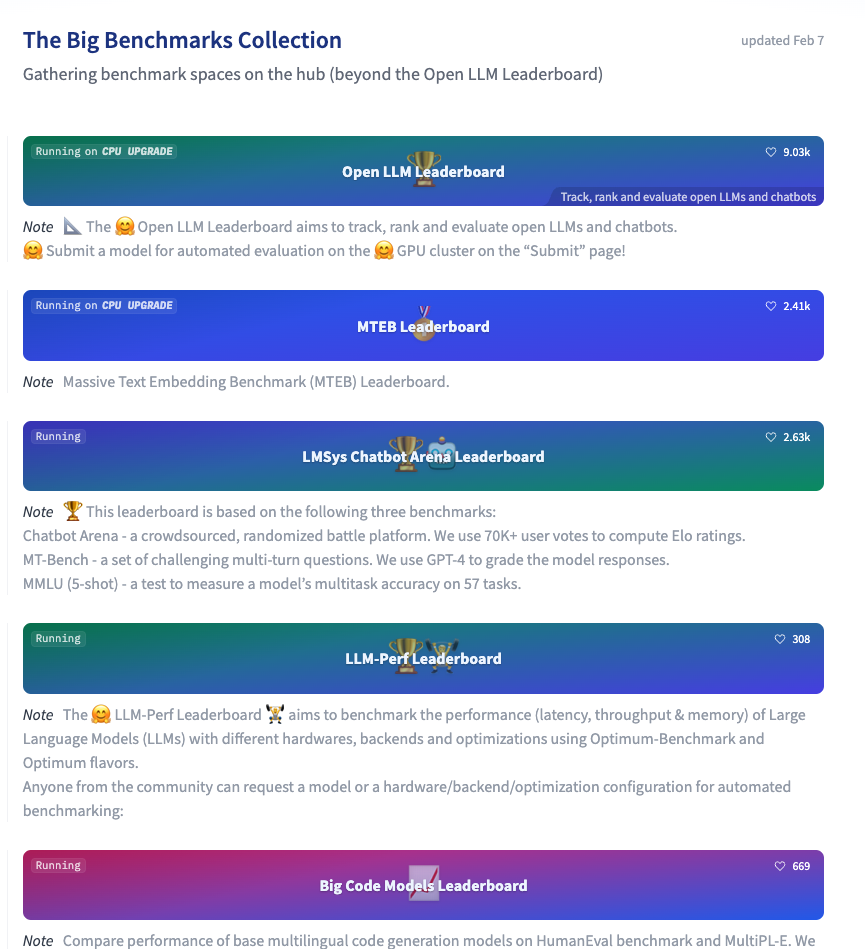
Benchmarks and Leaderboards: HELM
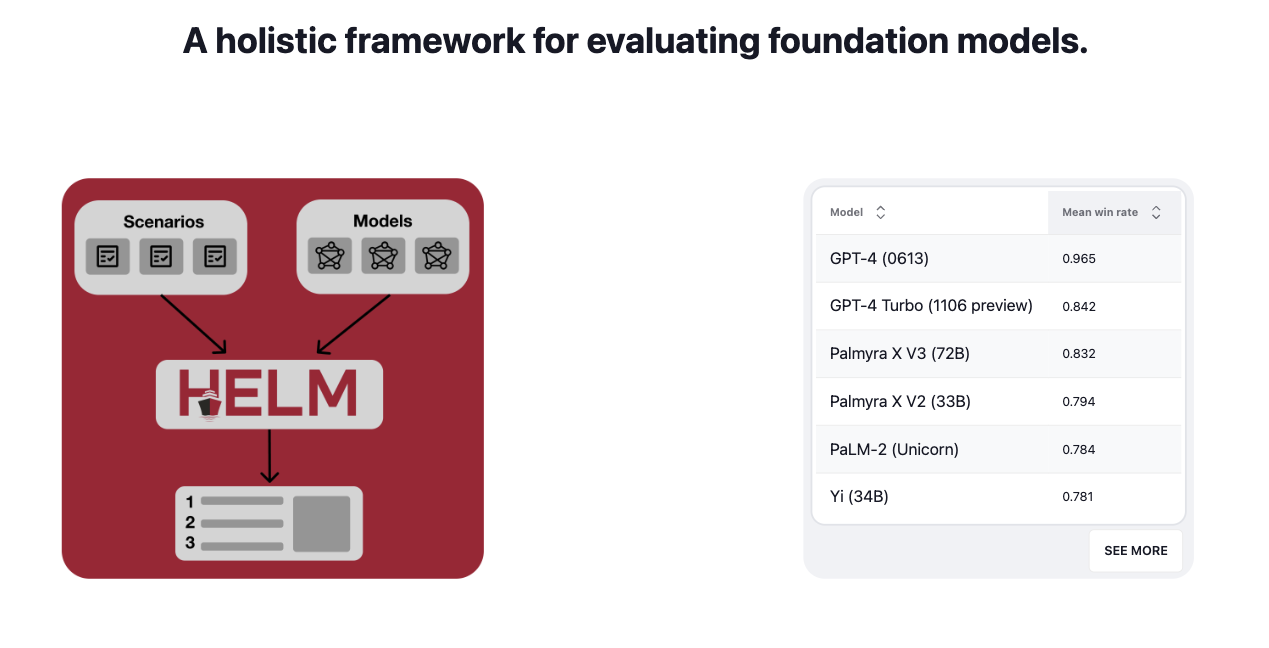
The growing capabilities of very large LLMs have inspired new and challenging benchmarks, like HELM:
Adapt the Model#
Fine-tuning
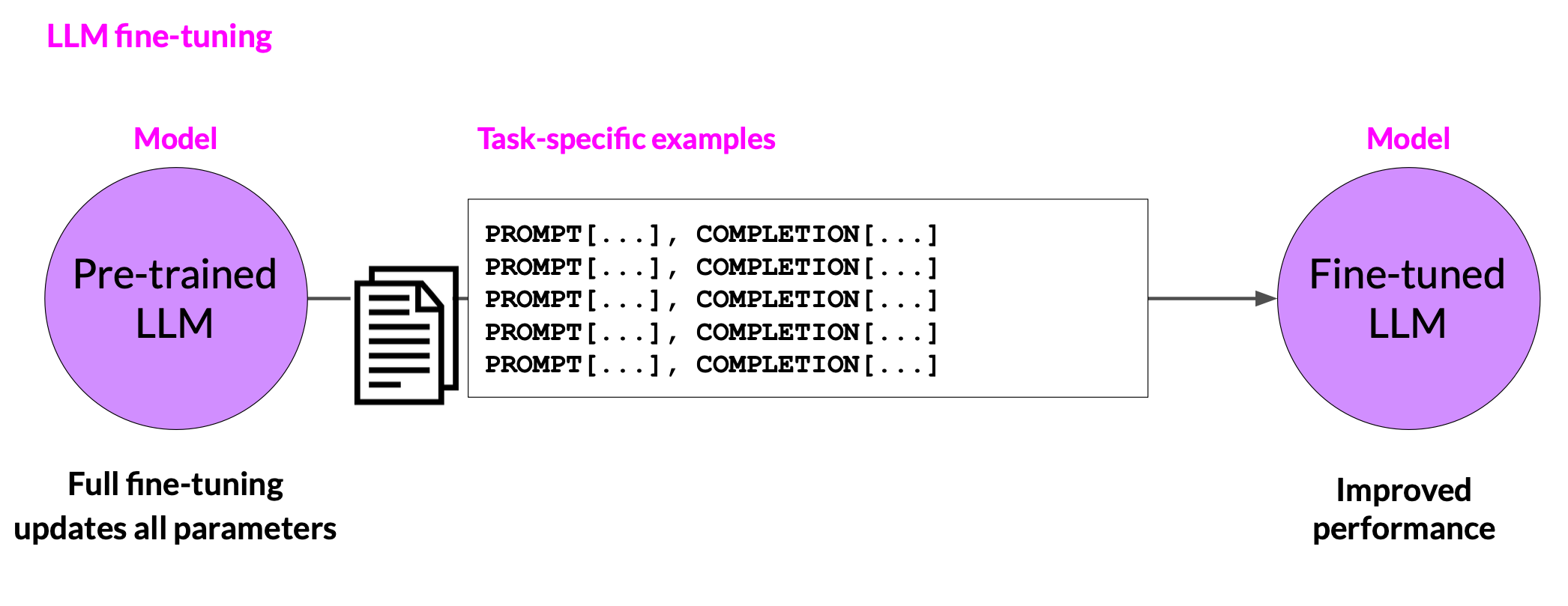
While we should always start with crafting good prompts in order to achieve the best performance we can, it may sometimes be advantageous to adapt a model to improve its performance. Fine-tuning is one way to achieve this goal.
Fine-tuning
Fine-tuning can improve model performance, and reduce the need for complex prompts (saving on context use). Fine-tuning is particularly important for smaller models, and can boost performance to levels comparable to bigger models.
Evaluation Metrics
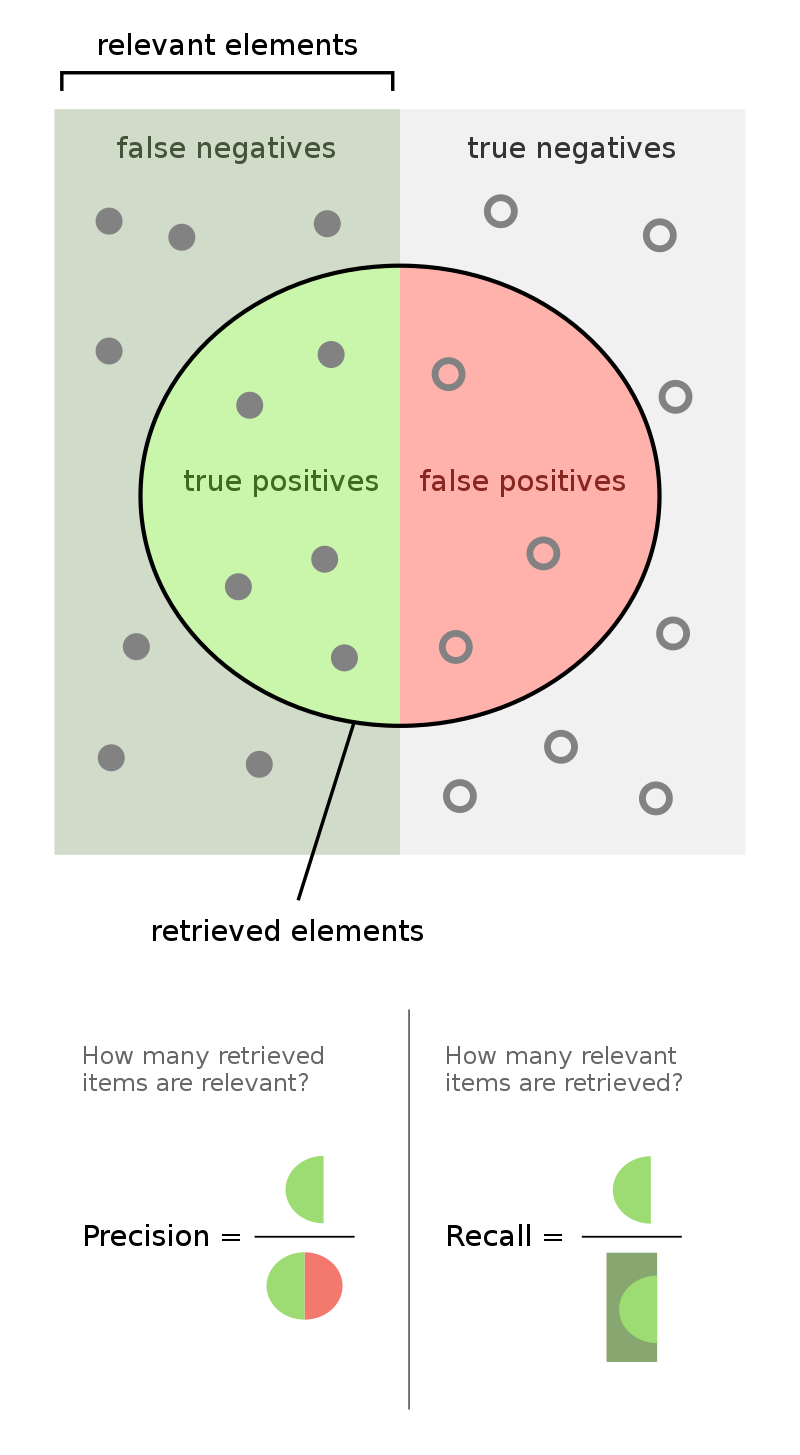
Evaluation metrics depend on the type of task. For information extraction tasks, metrics such as precision and recall are appropriate
Application Integration#
Deployment as an Application
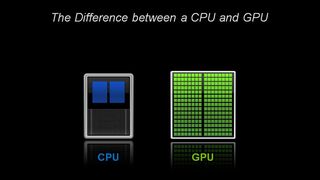
LLMs are usually deployed as a component of a larger application. This larger application can make use of external resources, such as collections of documents, or knowledge bases. Deployment must also take into account the computational resources that are available, such as the availability of GPUs and sufficient memory.
Model Quantization
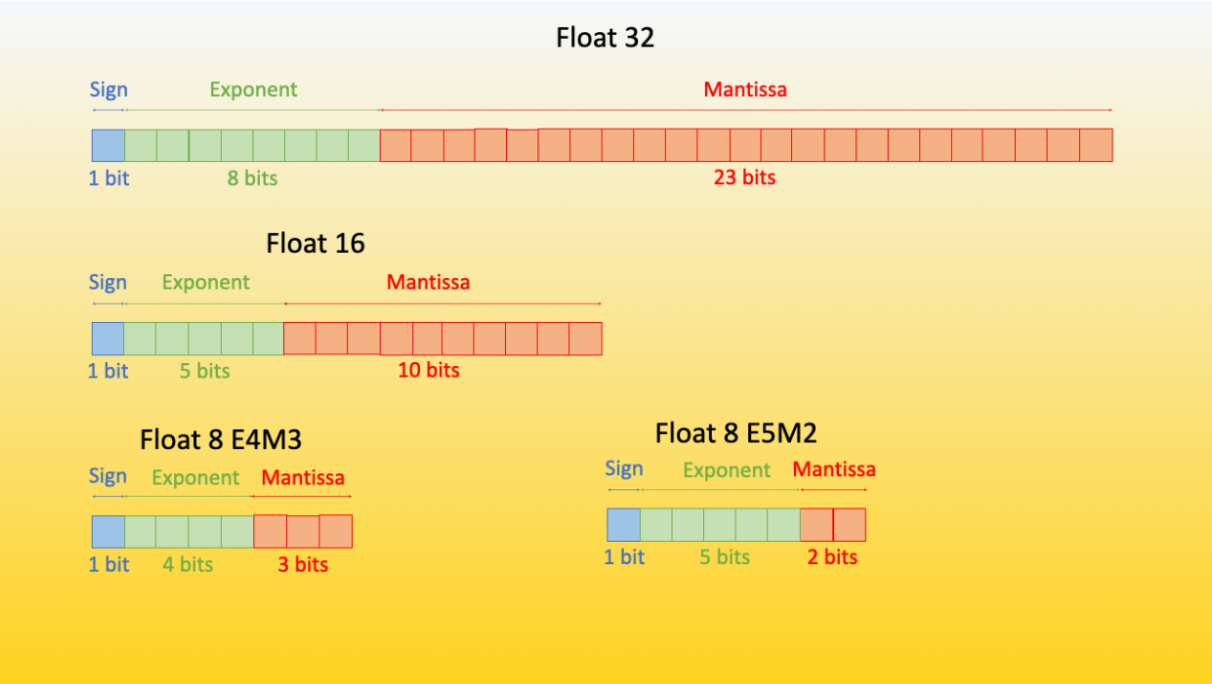
Models can consume very large amounts of memory. The largest model you can currently run on Quest has to fit into a 4 Nvidia A100s with 80GB of RAM each. This is a lot, but you have to contend for these nodes with the rest of Northwestern. One way to tackle this challeng is to quantize your model weights, lowering FP precision in order to consume less memory:
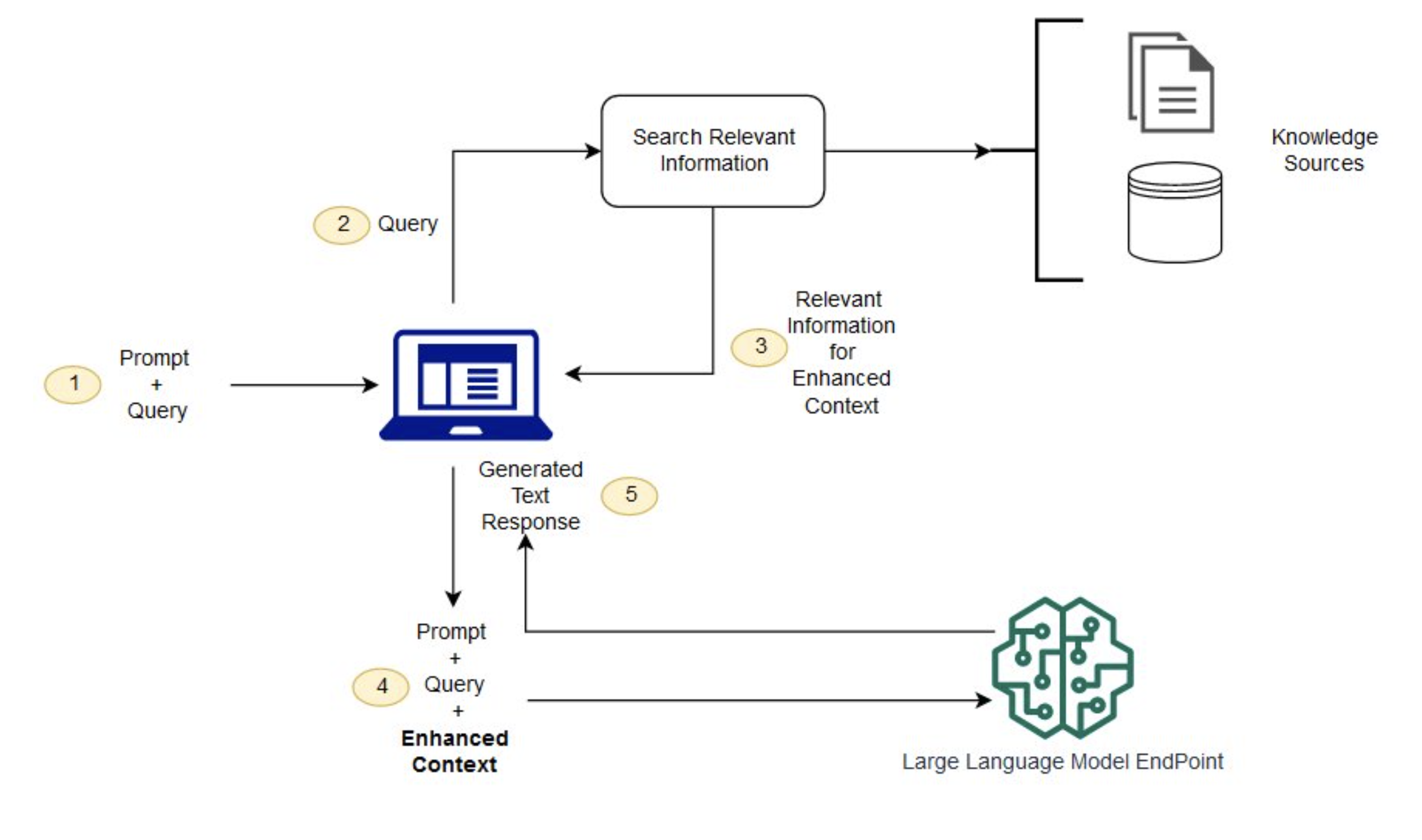
Retrieval Augmented Generation (RAG)
No model can “know” anything about events that have occurred after its training cutoff date. One way to overcome this obstacle is to integrate external resources, such as Retrieval Augmented Generation (RAG). RAG can result in better prompt completions and fewer “hallucinations”.